
If you are viewing the website on a desktop, click “Subscribe” in the upper right-hand corner.

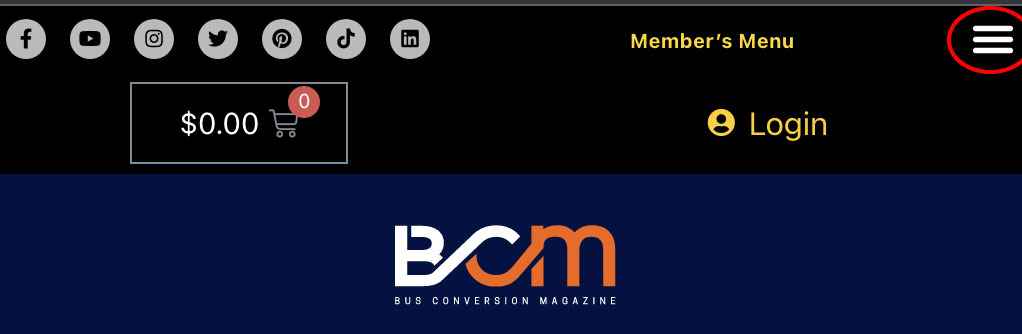
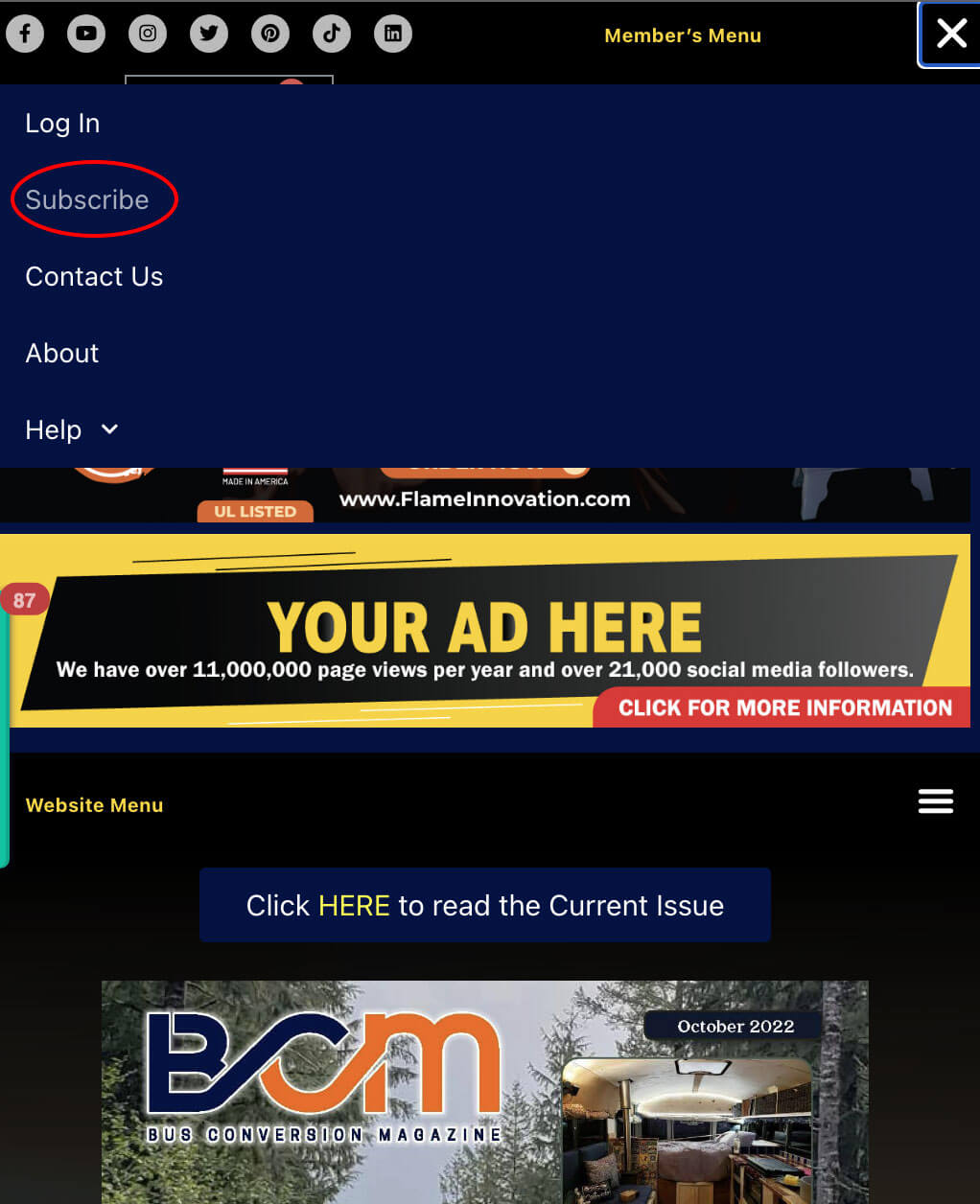
If you are using a mobile device or tablet, choose the “Member’s Menu” in the upper right-hand corner of your screen. A window should pop up and you can choose “Subscribe”.
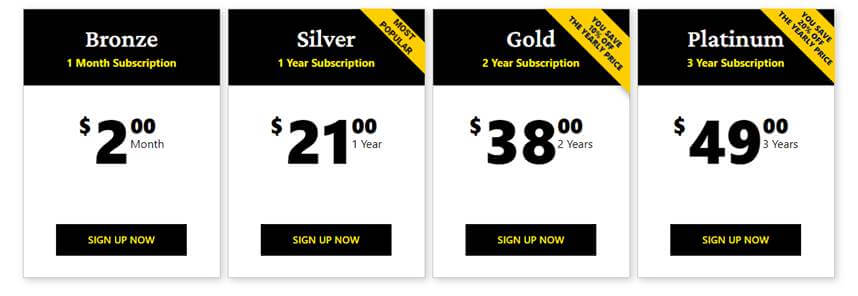
You will then be taken to a screen with our subscription/membership options. Choose an option on this screen.
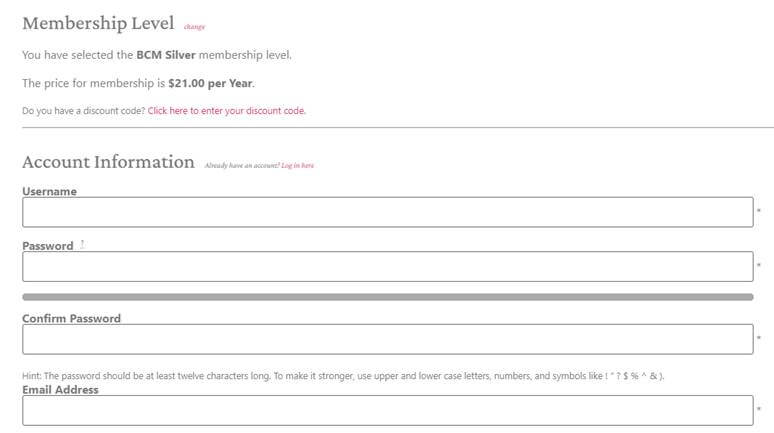
You will then be taken to the checkout screen. Fill in all of the required info and submit your subscription.
You should then be able to sign in with the credentials you set up at checkout, if you are not already signed in. You should be redirected to the “Recent Issues” Page. Here you can choose to read/save the three most recent copies.

At any time when you are signed in, you can choose the “Members” tab at the top of the screen and access all of your member benefits including online access to over 190 back issues of BCM, FREE online access to all eBooks, and much more.
If you need any assistance, our office will be happy to help.
Contact:
Sandra VanDenburg
Administrative Assistant
Bus Conversion Magazine
https://www.busconversionmagazine.com/
E: Sandra@BusConversionMagazine.com
P: (657) 221-0432

Qualify for a $200 Commission and a FREE 5-Year Membership or extension.
If you are working with any conversion parts or service companies, send us their information to support the only website dedicated to the nomadic conversion lifestyle.
We will contact them and if they advertise with us for at least six months, you will receive a free 5-year Membership and a $200 commission after they pay their first invoice.
Email their contact information to Gary@BusConversionMagazine.com
We are seeking a self-starter, energetic, honest person, with a pleasant phone voice to seek out new sales leads and follow up on current sales leads and then follow through and close deals.
This is a work-from-home/bus position and we are looking for someone who has some bus and/or bus conversion knowledge. This is a chance to earn money to either buy your own bus or money to buy materials to build your bus or tiny home, or to just earn some extra money. An interest in new and vintage buses and bus conversions is a plus.
All you need is a phone, a computer, a good internet connection, a quiet environment, and have a good working knowledge of MS products including, Word and Excel. You can work your own hours as many hours per week as you wish. The harder you work, the more you can earn. The sky is the limit.
You will be selling Advertising for up to three bus magazines
BCM, National Bus Trader Magazine, National Bus Tours Magazine, and Vintage Motorcoach Magazine
You can make one sale and potentially collect up to four commissions.
Contact Gary for more information a Gary@BusConversionMagazine.com or call the office to speak to him in person at (714) 614-0373.
